Link Generation
A tracking link is a short link you share in an ad, post, email, or creator's bio. Every click on it is attributed to the campaign, platform, and source it came from — so you can see which channels actually bring in customers.
Prerequisite: a Lucia account — sign up at app.luciaprotocol.com.
Manage your links
All your links live in Link Management, with their performance at a glance — clicks, conversions, conversion rate, revenue, cost, and ROAS — plus filters by status and platform.
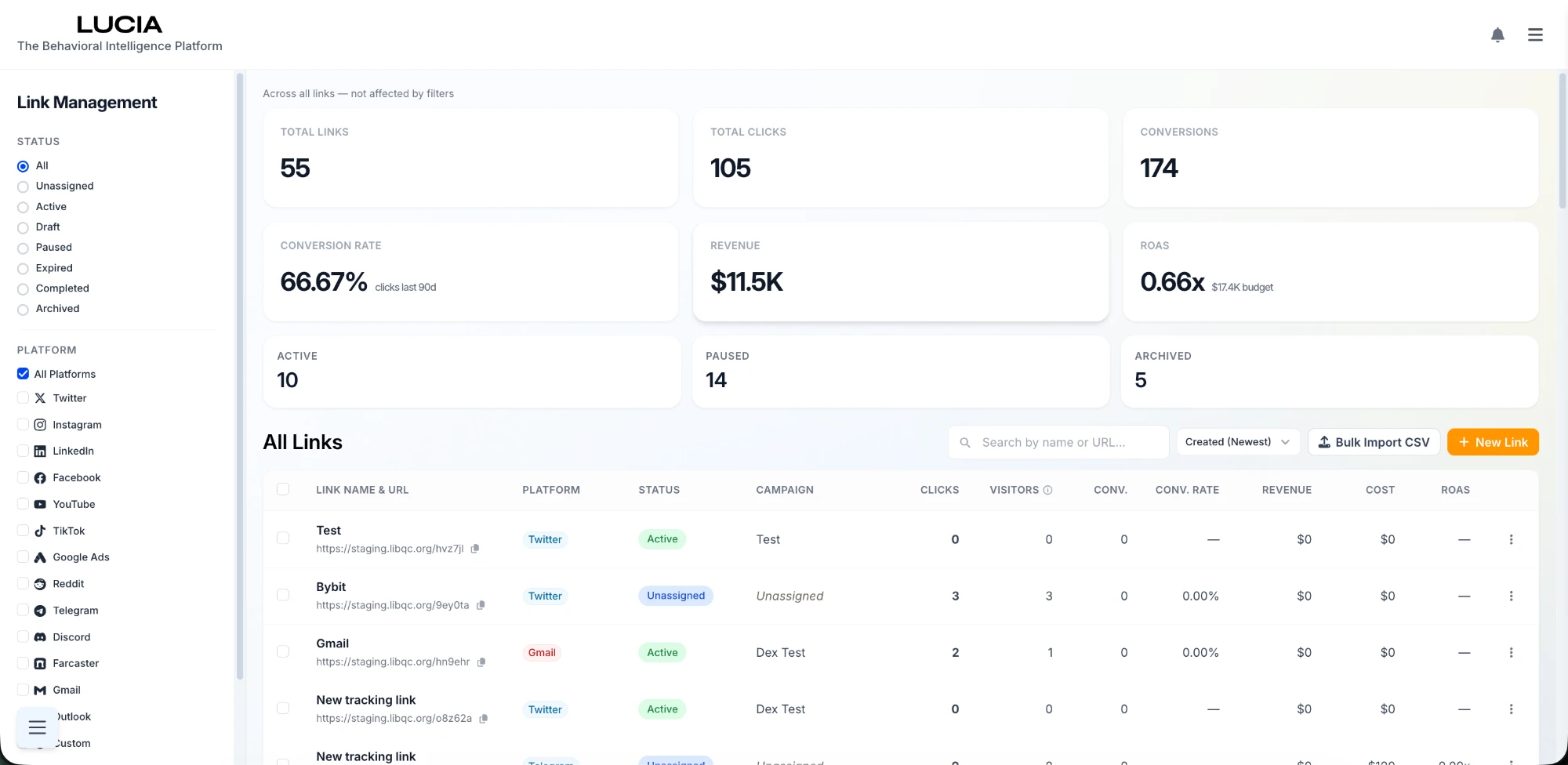
Create a link
Click New Link (top right) to open the Create New Link dialog.
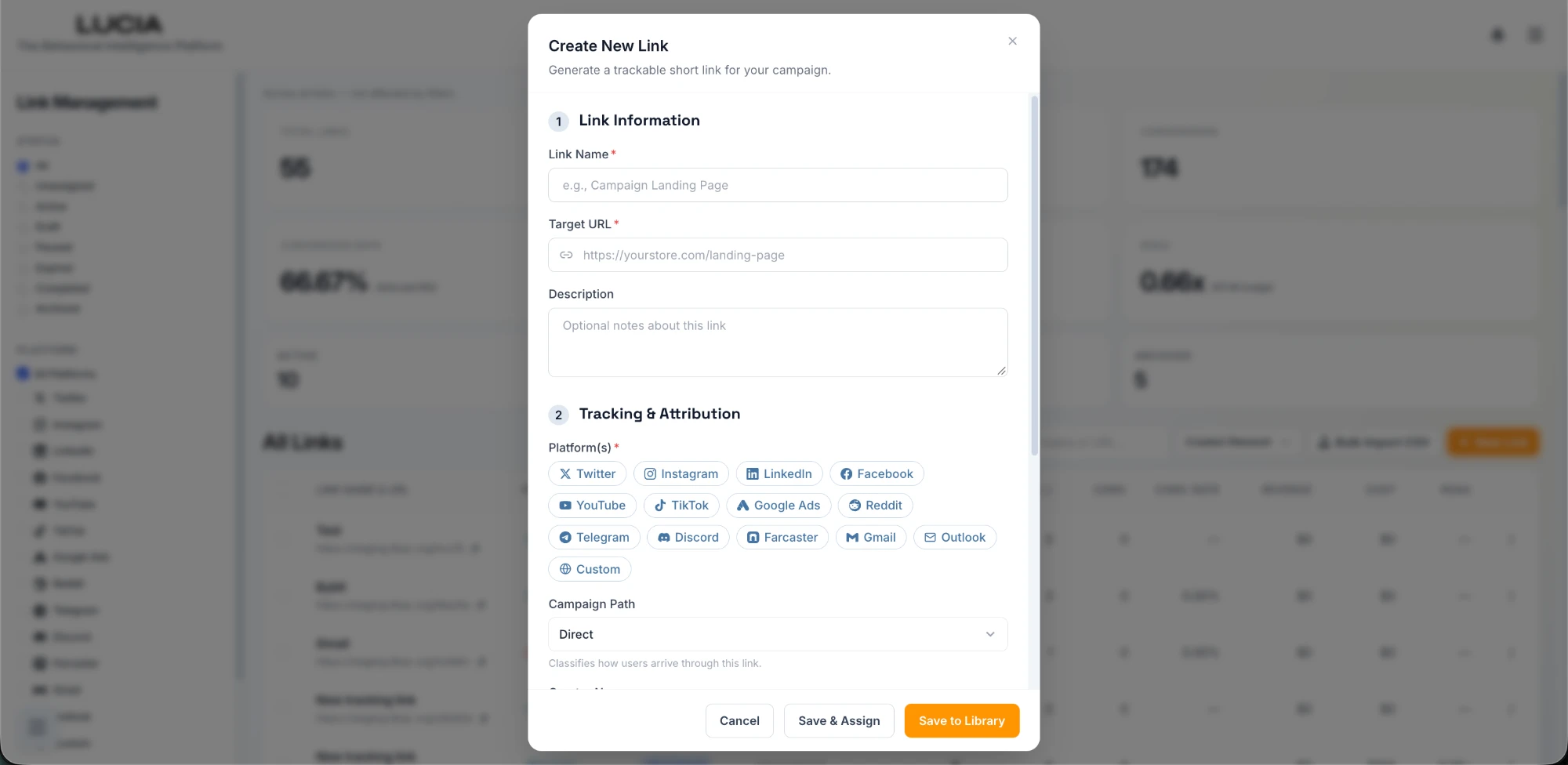
Fill in two short sections:
1. Link Information
- Link Name (required) — a label you'll recognize, e.g.
Q2 Creator Collab. - Target URL (required) — where the link should send people (your landing page).
- Description (optional) — notes about the link.
2. Tracking & Attribution
- Platform(s) (required) — where you'll share the link: Twitter, Instagram, LinkedIn, Facebook, YouTube, TikTok, Google Ads, Reddit, Telegram, Discord, Farcaster, Gmail, Outlook, or Custom.
- Campaign Path — classifies how users arrive through the link (e.g. Direct).
Then save:
- Save to Library — keeps the link for later use.
- Save & Assign — saves it and attaches it to a campaign now.
Lucia generates a short link (e.g. staging.libqc.org/hvz7jl) you can copy and share.
A link attributes the inbound click. To follow what happens after the click — pageviews, signups, purchases, wallet connects — install the SDK on the site your links point to. Together they connect first click to final conversion.
Common uses
- Creator / KOL campaigns — generate a link and give it to an influencer to use in their bio (via a link-in-bio service like linktr.ee or beacons.ai) or in a post. Every click is attributed to that creator and campaign.
- Paid and social campaigns — generate a tracked link per channel, share it, and compare which sources actually convert.
To organize many links, budget, and attribution under one push, see Creating a Campaign.